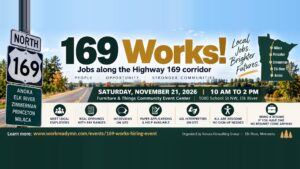
169 Works! Free Hiring Event
When
Where Furniture & Things Community Event Center, 1000 School St NW, Elk River, MN 55330
Hiring fair In person Free to attend Walk-ins welcome
Letters, briefs and reports can be shown with their own typography. Automatic keeps that only while none of your settings above ask otherwise.

Choose an event, fill in a short form, and we email you a confirmation with a private link to change or cancel. You do not need an account.
There is no account to create and no password to remember. Your email is your key.
Find the event on the events list or calendar and select Register on its page.
Your name and email, and a few questions the organizer needs. Choose in person or online when the event offers both.
Check the box for an accommodation and tell us what would help. Only the people arranging it see the details.
Your confirmation has the details, a link to add the event to your calendar, and your private link to change or cancel.
When
Where Furniture & Things Community Event Center, 1000 School St NW, Elk River, MN 55330
Hiring fair In person Free to attend Walk-ins welcome
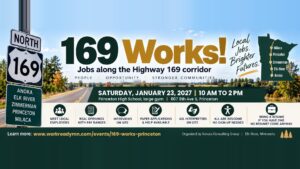
When
Where Princeton High School, 807 8th Ave S, Princeton, MN 55371
Hiring fair In person Free to attend Early rate until December 23 Walk-ins welcome
Check your spam folder for a message about the event. If it is not there, contact the organizer listed on the event page and we will send your link again.
Use the link in your confirmation email to cancel. It frees your place for someone on the waitlist.
When an event has a waitlist, join it. If a place opens, you are registered automatically and we email you right away.
You pay securely with a card through Stripe, and your place is held while you pay. Your card details never reach this website. Some events let you pay at the door instead.
We email you announcements and practical notices about the event you registered for, like parking or a room change. You can turn them off from any update email or your confirmation link.
Some events welcome walk-ins and let you check in at the door. The event page says so. Registering ahead helps organizers plan and arrange accommodations.